Svelte Tutorial
Introduction
What is Svelte?
Svelte is a radical new approach to
building users interfaces. Whereas traditional
framework like React and Vue do the bulk of
their work in the browser, Svelte shifts that
work into a compile step that happens when you
build your app.
-
Intended for fast and small web applications
-
The app is converted to JavaScript at build time instead of run time
-
Applications are composed of .svelte files
-
They are self-contained blocks of HTML/CSS and JavaScript
History
Svelte is a free and open source front
end JS framework created by Rich Harris
and maintained by Harris and others core member.
It initial release on November 26, 2016.
The stable release of svelte is 3.21.0 on April 23 2020.
This tutorial will shop you how to create a Pokemon shop with a cart.
How to start? Two methods:
-
Use Repl
Download a example from Repl, safe as svelte-app.zip file to your computer and uncompress it.
Open the terminal window and set the project up, do the following command.

Then start up the development server, do the following command.

-
Use Degit
You can skip the zip file by using degit, a project scaffolding tool. In the terminal, you can create a project like so:

This will create a new project in the my-svelte-project directory, install its dependencies, and start a serve on http://localhost:5000.
Then do "npm run build" to build your app.
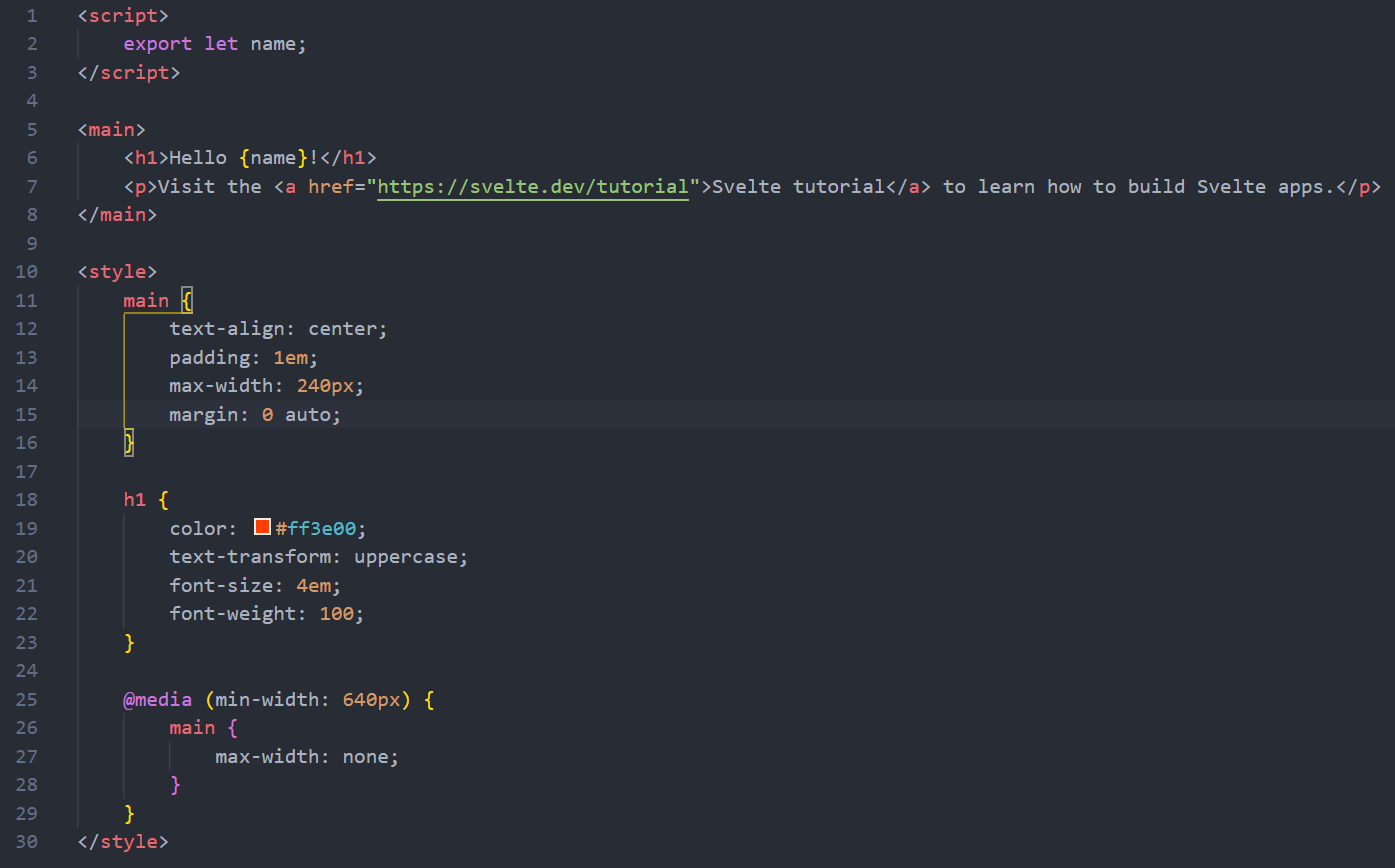
Open src > App.svelte
This is where the svelte application is compiled. This is what it should look like:
App.svelte
Website Basics
Every website needs a header, footer, and navigation bar.
Create a comp folder to contain components and create a header.svelte, footer.svelte, and navbar.svelte.
Header and Footer
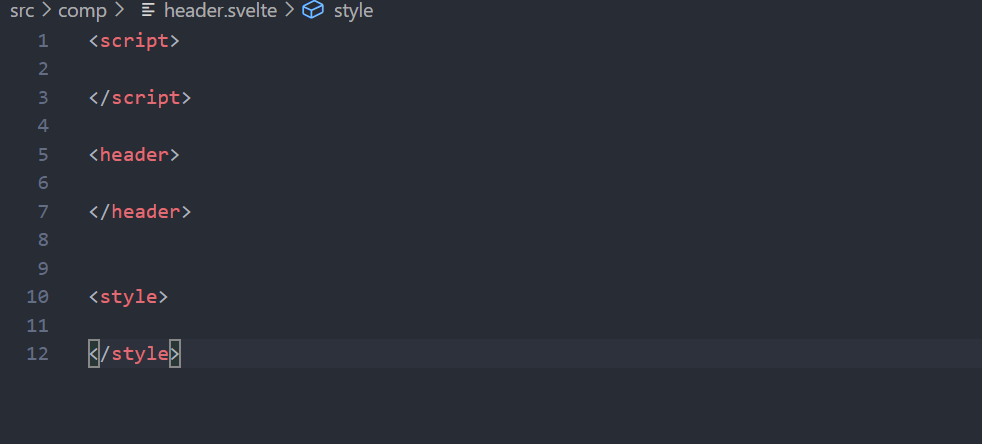
Copy the contents of App.svelte into header.svelte and delete the contents within the tags to get the base template. Change the main tags to header tags.
header.svelte
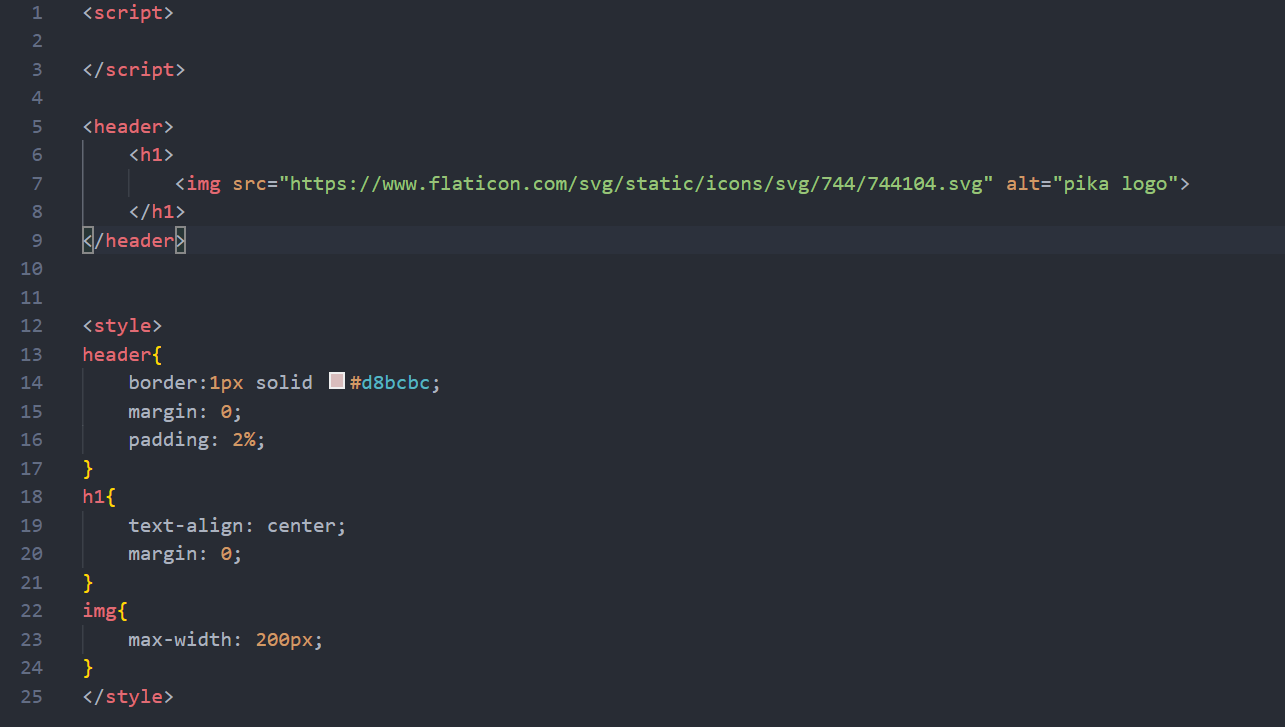
Add the contents to the header and the styling to center the pokeball image in the header
header.svelte
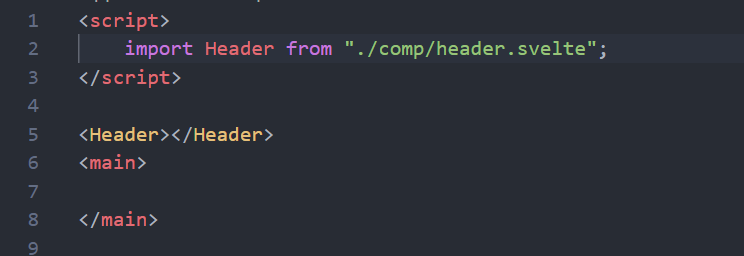
Import header.svelte and add the Header tag in order to add the header to the application. Delete the content in the main and script tags.
App.svelte
This is what the page should look like
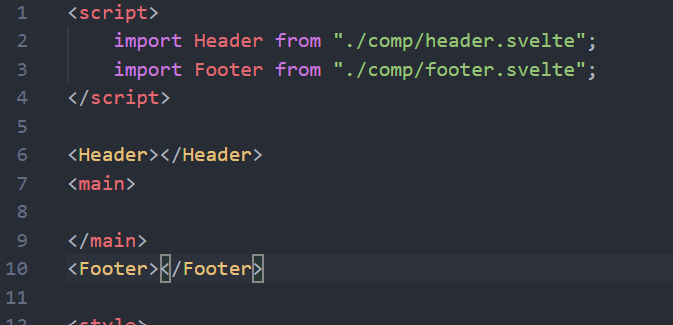
Follow the same steps for the footer
footer.svelte

App.svelte
Navbar
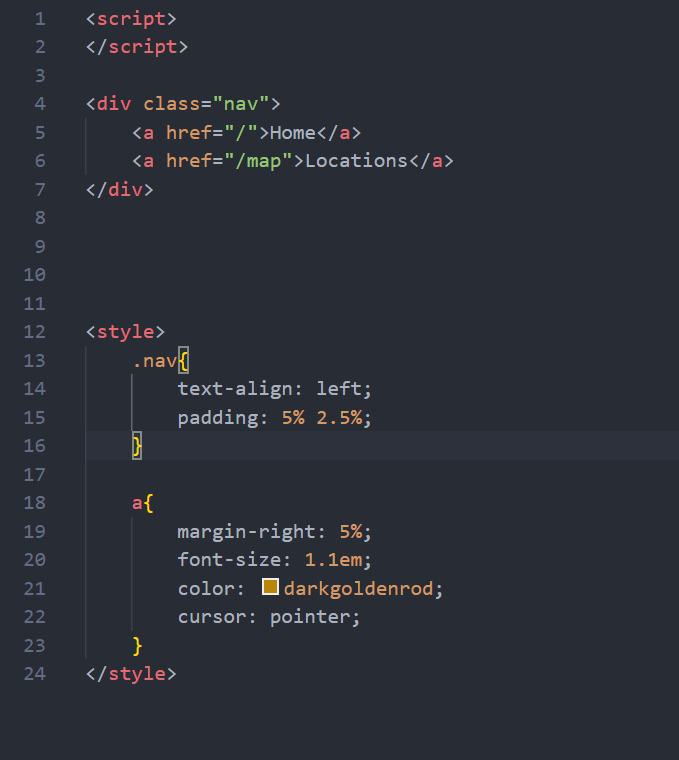
Create the links and the styling for the navbar
navbar.svelte
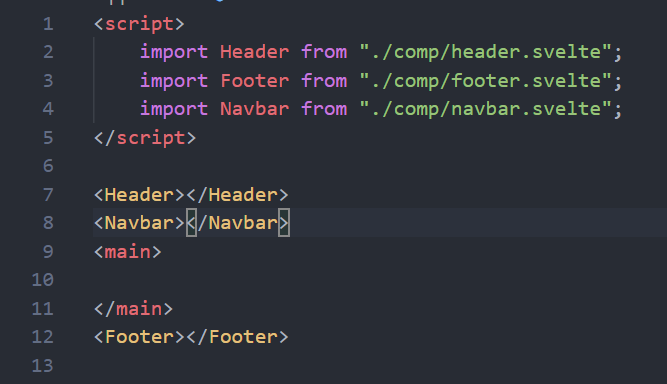
Import and add the navbar to the app.
App.svelte
This is what the app should look like.

Body and Card
The body will contain the pokemon that can be bought and the shopping cart
Create a Body.svelte file to contain pokemon. First we will make the Card.svelte file to be put into the Body.svelte file.
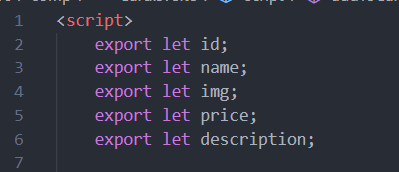
Card will receive this data from the Body.svelte. Indicate the data that it will receive by writing this in the script tag
Card.svelte
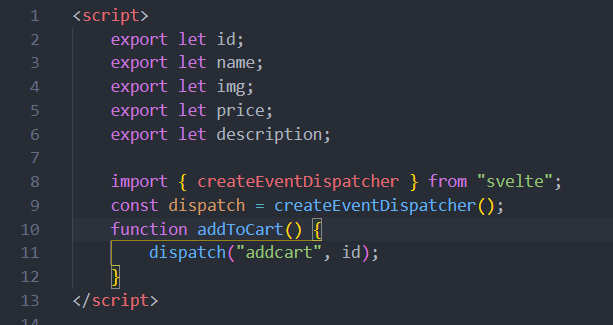
Card needs to communicate with the Body. To do this, we need to add a dispatcher to attach the addToCart method within the Card component to the addToCart method in the Body component
Card.svelte
Add this inside the main tags to format the pokemon card
Card.svelte

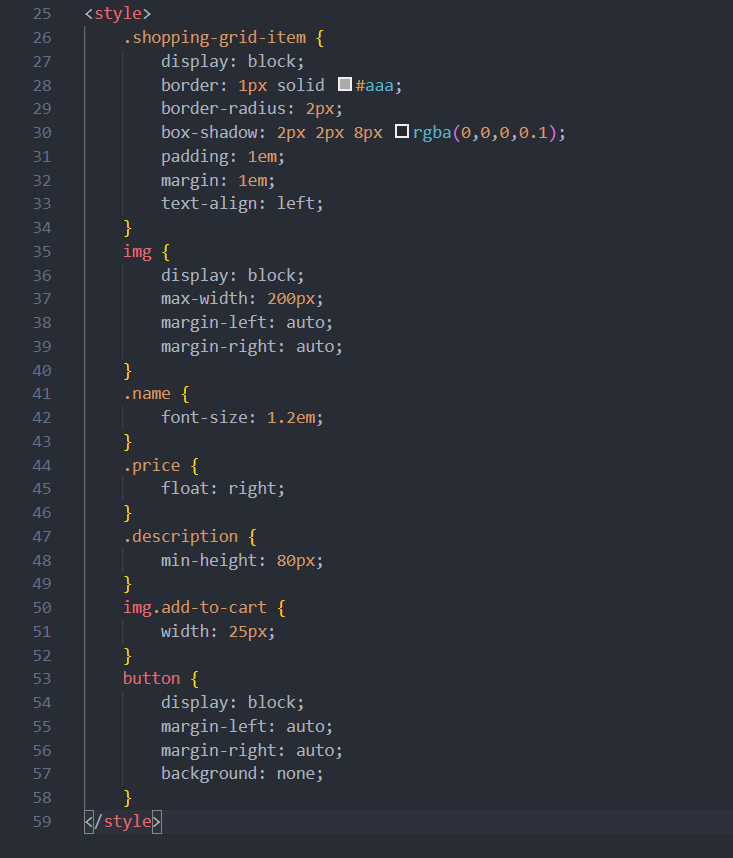
Add this inside the style tags to change the styling of the cards
Card.svelte
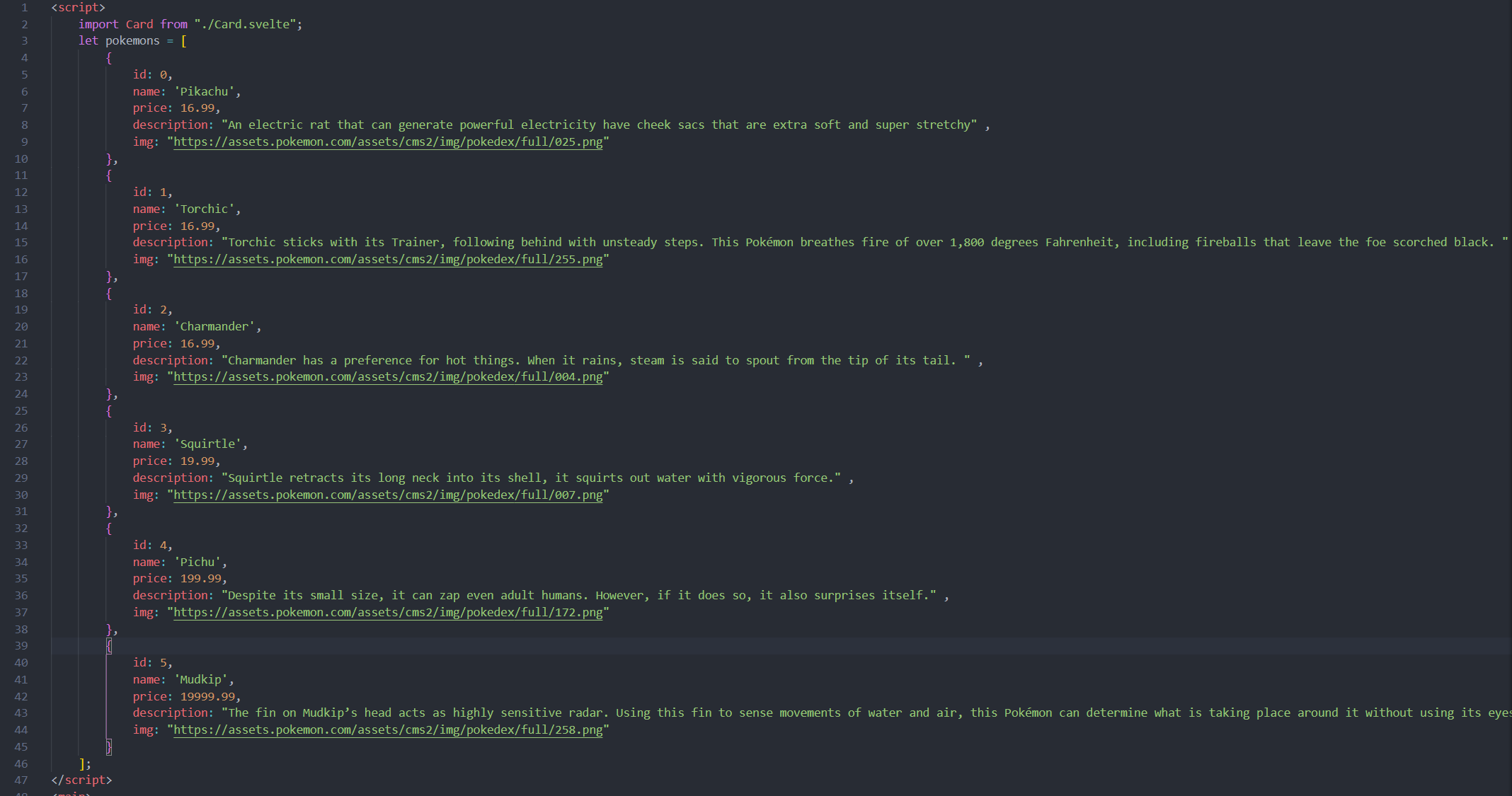
Go back to the body component and import the card component. Add a dictionary that contains the data for the pokemon to be sold.
Body.svelte
To create a card for each pokemon in the dictionary, use the an each block and pass the pokemon data in.
Body.svelte

Add this styling to change how it looks
Body.svelte
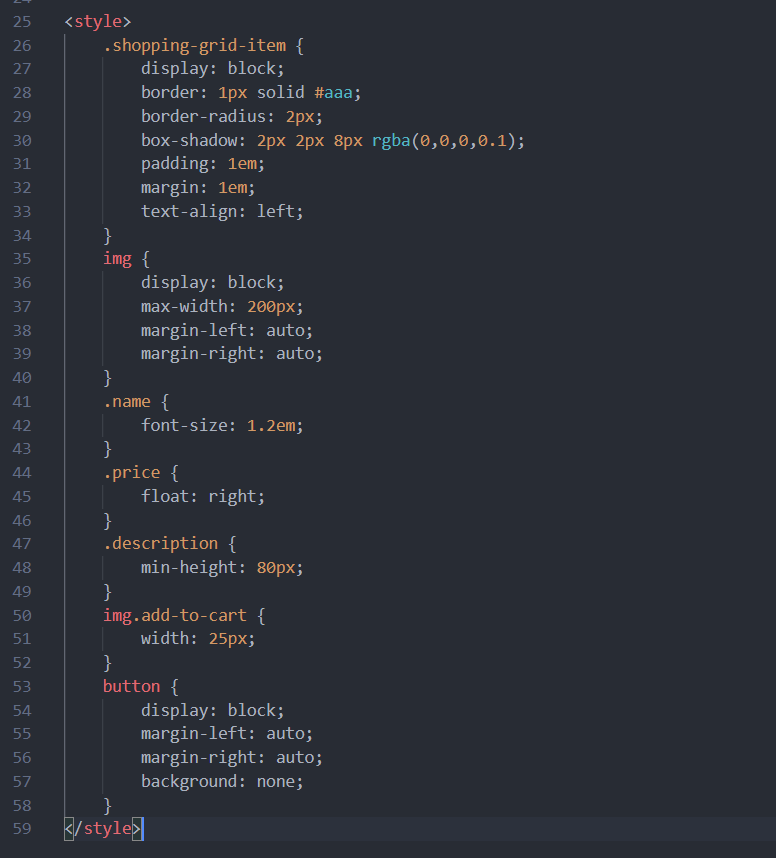
Add the Body component to the App.svelte like before.
This is what the page should look like.
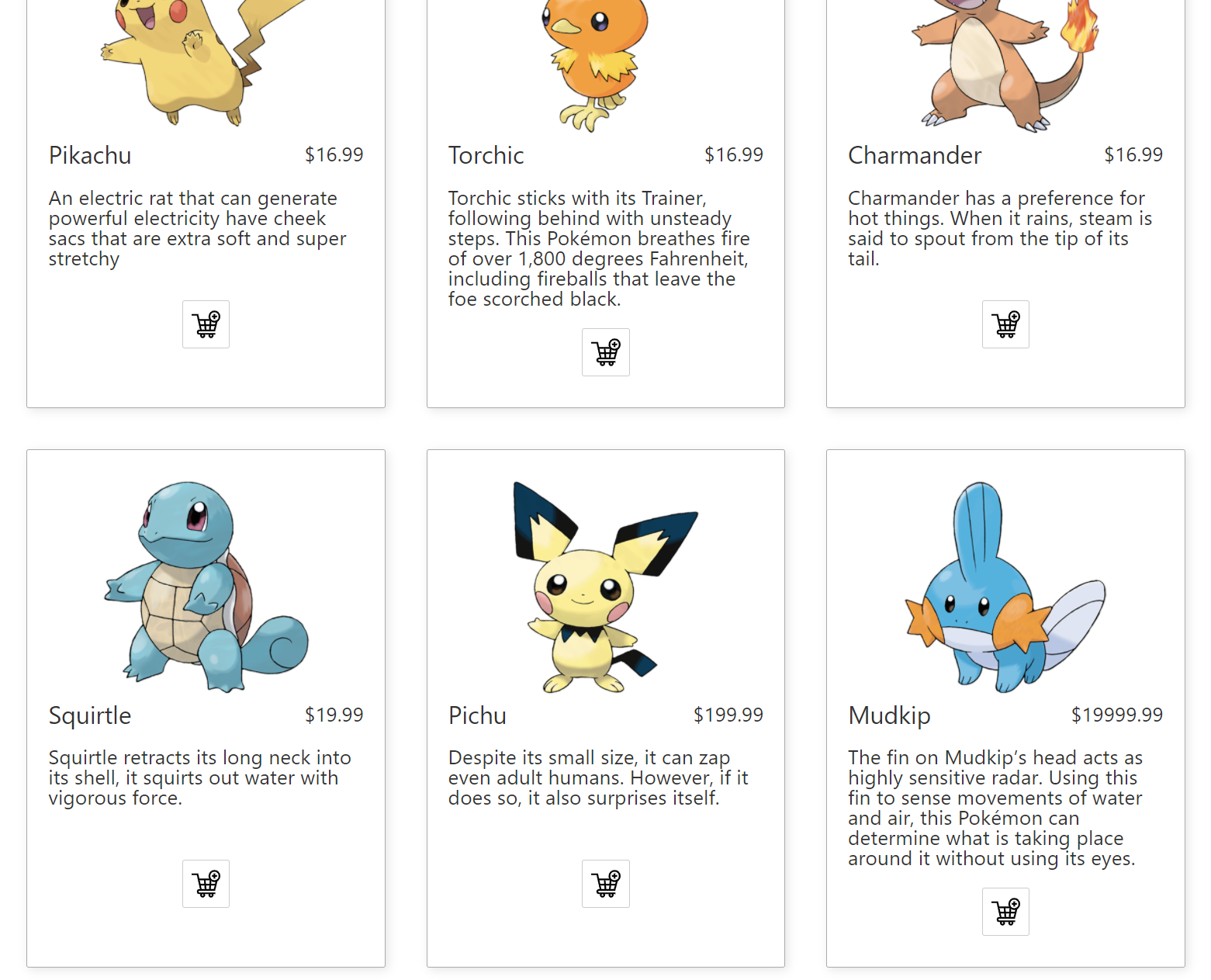
Cart and CartItem
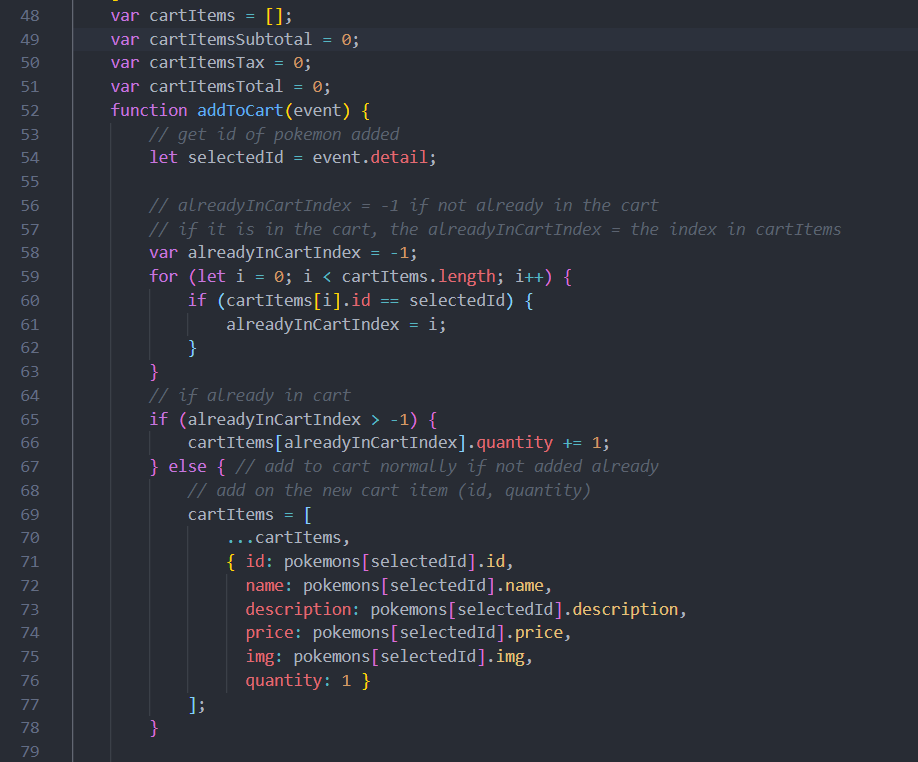
Add this function to connect to add the pokemon in the cart for the buttons.
The button passes in the index of the pokemon and the code checks if the pokemon is already in the cart. If it is already in the card, the quantity is updated. If it isn't, the pokemon is added to the cart
In order to update a list in Svelte, the list must be set to the list and the additional item, like in line 70.
Body.svelte
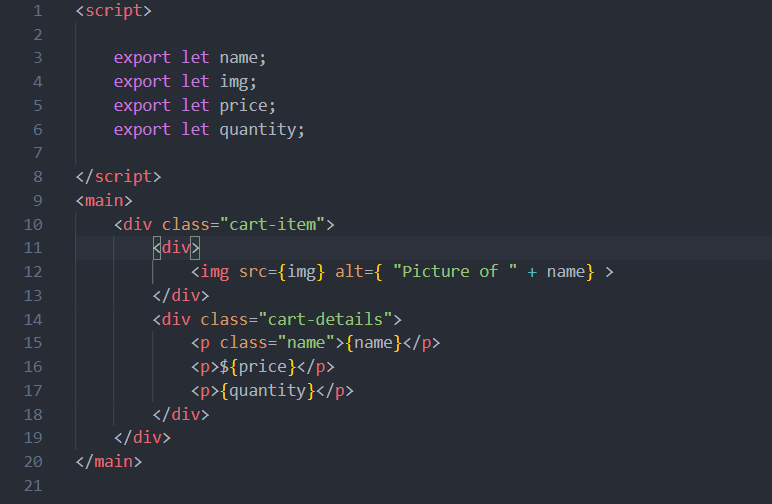
Now create a CartItem.svelte file in the comp folder. This component will be used within the cart that will be built after.
Within the script tags, indicate that the variables will be passed in from the outside by adding export before the declaration of the name, price, quantity, and img variables.
Add the following to format the data.
CartItem.svelte
Add the styling to the component.
CartItem.svelte
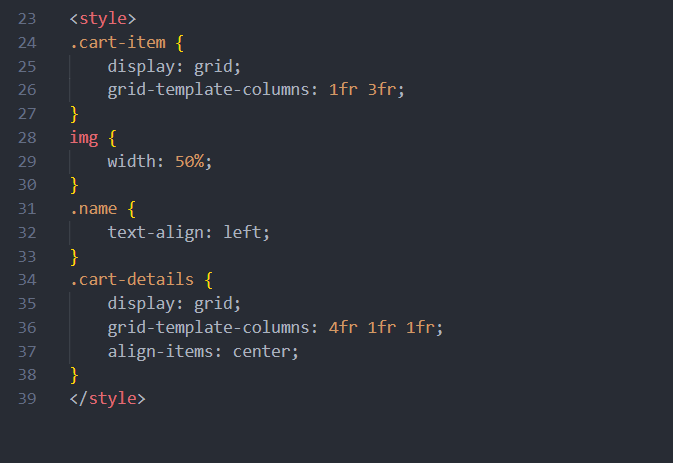
Go back to Body.svelte and import the CartItem.
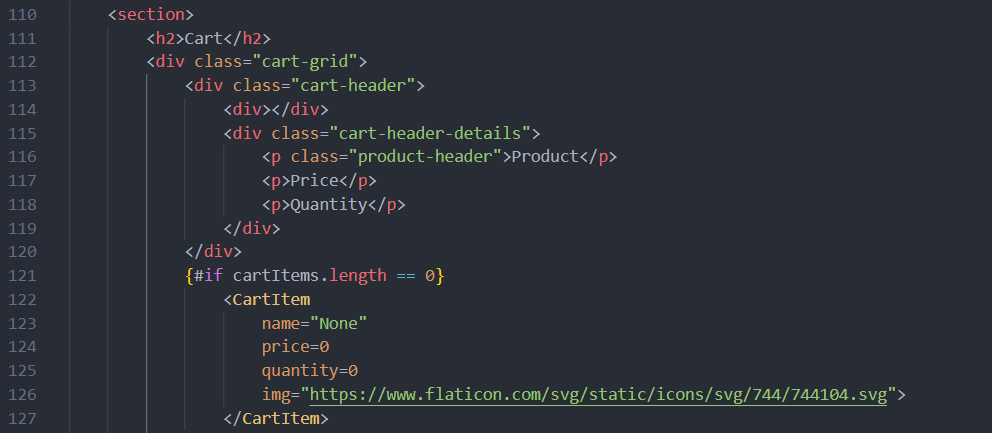
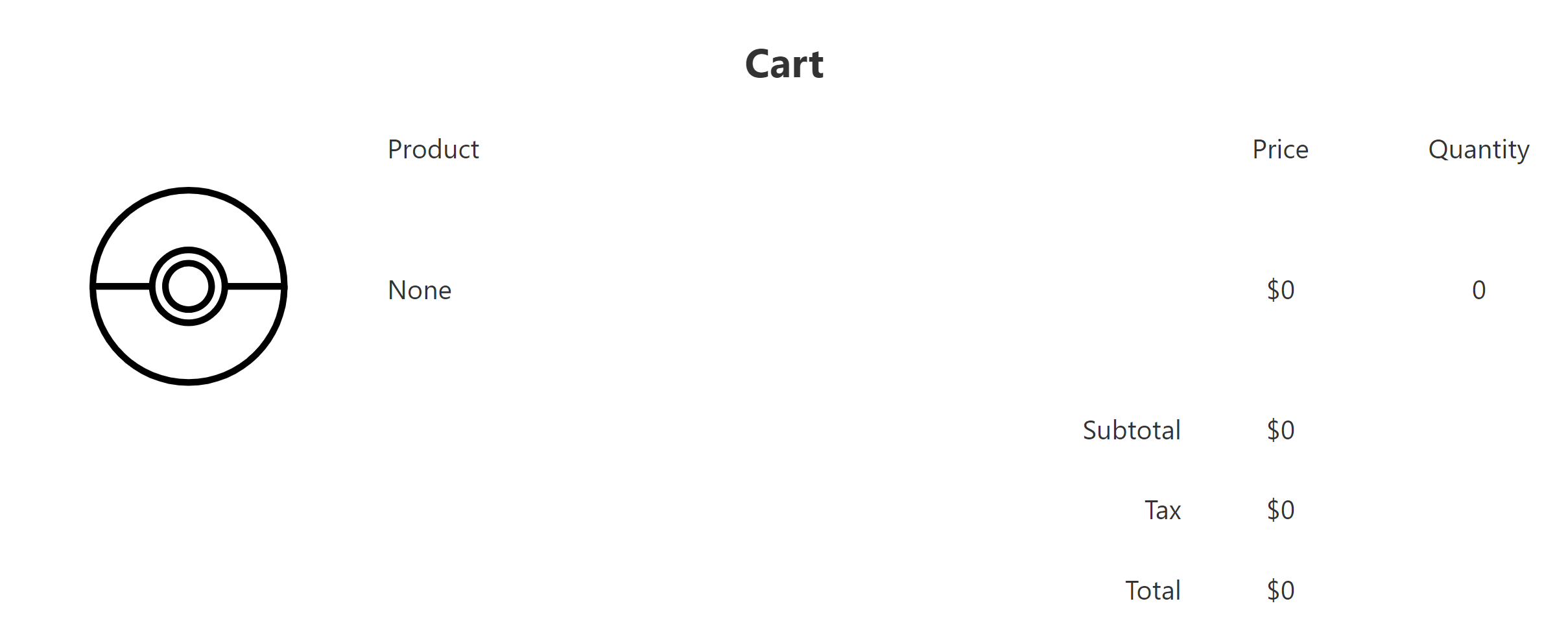
Create a new section for the cart below the section for the pokemon. Add a header to incidate the items in the cart. Use an if block to present a cart item with blank values if the cart is empty.
Body.svelte
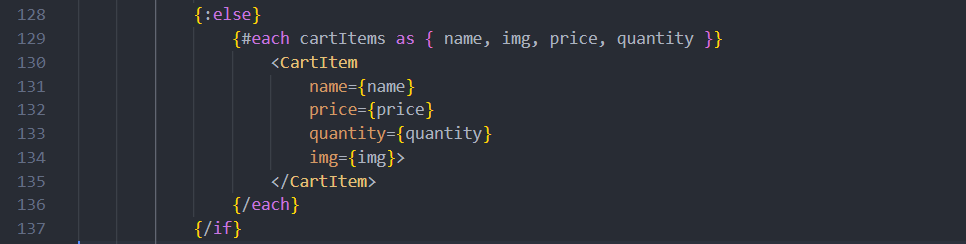
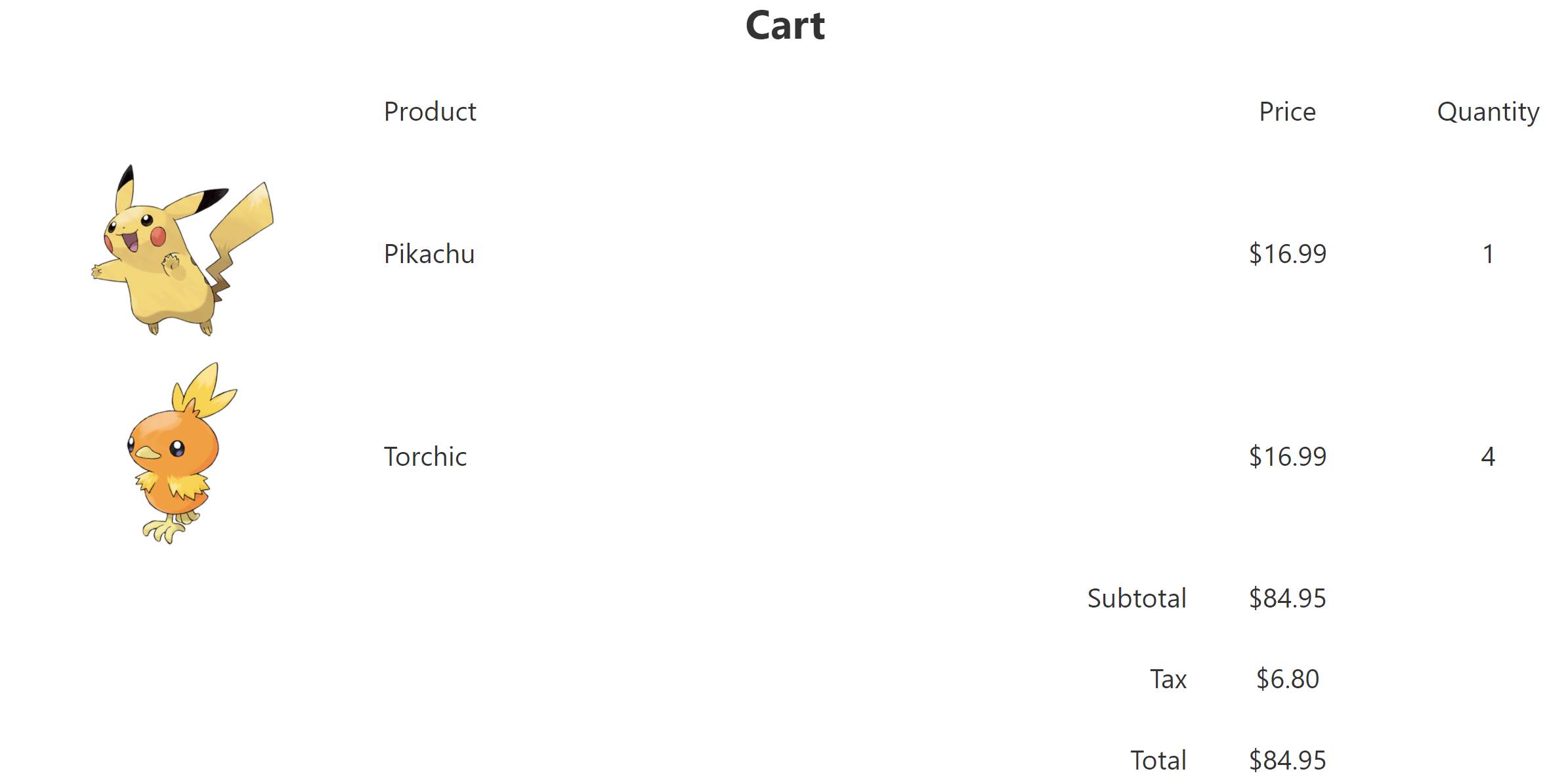
An else block displays the items in the cart if the cart has items in it. Similar to the Card components, an each block is used to create a CartItem for each item in the card and the data is passed into the component.
Body.svelte
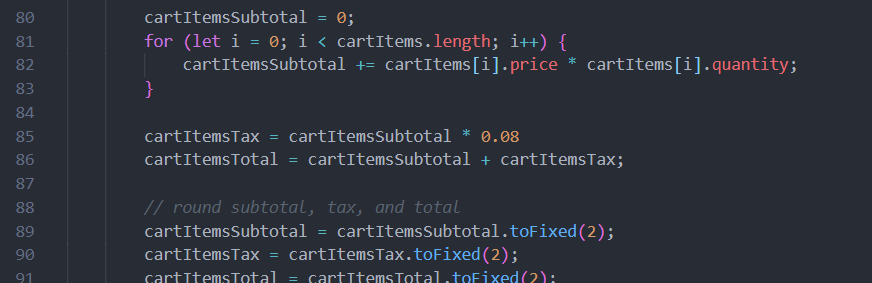
Go back to within the script tag and add this code in order to calculate the subtotal, tax, and total of the items within the cart. The values are rounded after they're calculated.
Body.svelte
Go back to the section beneath the else block to add space for the calculated values to be displayed. The classes are the same as the header because th spacing needs to be the same.
Body.svelte

The cart should look like this when it is empty.
After adding some items, the cart should look like this.
Congratulations! You have a Pokemon shop with a cart.
Summary
Svelte is a free and open source front end JS framework. It has it own feature, it is less code to do.
It is used for Alaska airline, Comigo, And 1Password etc.
Online
Svelte webiste: https://svelte.dev/